
Name-Based Case Searches
Minnesota puts its public statewide case-search layer on Minnesota Court Records Online, better known as MCRO. Open MCRO Case Search and accept the terms. Pick Name as the mode. Then choose Brown from the county list so the statewide results narrow to Brown County. One caution matters here. Brown County name matching is exact, not a broad contains search. Start with the spelling printed on a court notice. Only try the permitted alternatives if that first pass misses the Brown County case you expect.
- Select Name and choose Person or Business for the Brown County search.
- Enter the known name, then select Brown County from the location controls before pressing Find.
- Try the name with and without a middle name or initial if the first Brown County search is empty.
- Use a trailing asterisk after at least two characters, or use Sounds Like, but never combine those two options.
- Open a plausible Brown County result and read Case Details/Register of Actions rather than treating the result row as the full Brown County record.
MCRO Case Search exposes the fields listed in the table. Not every Brown County lookup needs all of them. Stack on too many filters, and a date, category, status, or county selection that is too tight can hide the right Brown County case entirely.
| Field label | Type | Required | Options or format notes |
|---|---|---|---|
| Search mode | Tabs or buttons | Yes | Name, Case Number, Citation Number, or Attorney |
| Select Name Type | Selector | For Name | Person or Business |
| Exact name or business text | Text | In selected name mode | Exact entry; trailing asterisk after two characters; Sounds Like is an alternative |
| Last Name | Text | Person or Attorney workflow | Use exact spelling or permitted wildcard |
| First Name | Text | Person or Attorney workflow | The official guide directs the user to enter it |
| Middle Name | Text | No | Try full middle name, no middle name, or initial |
| Sounds Like | Checkbox or control | No | For similar spellings; cannot be combined with wildcard |
| Date of Birth | Exact date or date range | No | MM/DD/YYYY |
| Date Filed | Exact date or date range | No | MM/DD/YYYY |
| Case Category | Checkboxes | No | Civil, Criminal, Family, Probate, or Mental Health |
| Case Status | Dropdown | No | Live menu choices were not exposed in the research text capture |
| Court Locations | Radio or control | No | Statewide locations or selected county locations |
| Search by County | Text filter | No | Filters the county list before selection |
| County List | Checkbox list | No | 87 counties; Brown County is listed as Brown under B |
| Attorney Name or Bar Number | Text | In Attorney mode | Complete bar number may use dashes or leading zeroes |
| Find | Button | Action | Runs the Brown County or statewide query |
| Clear | Button | Action | Removes the current search fields |
| Terms acknowledgement | Acceptance | Yes | Select Yes, I Accept before using MCRO |
Brown County Case Results Sorting
A wide Brown County query in MCRO can bring back as many as 200 results. Newest entries display first by default. You can switch to Oldest First. Comparing a short Brown County list against the details you already know beats scrolling a statewide name search, so start with the county alone and add one small filter at a time only if the list stays too long to check by hand.
Each result card shows the public title, case number, filed date, and court location. Those four details are how you tell cases apart. Treat the cards as doors to Brown County Case Details, not as a stand-in for the Register of Actions. The Print control will print the list for you. It does not turn that printout into a certified or official copy of anything.
MCRO's Four Brown County Case Tabs
MCRO gives the public four search tabs. Each suits a different Brown County question: Case Search, Document Search, Hearing Search, and Judgment Search. Case Search is where a Brown County docket lookup normally begins, since it opens Case Details and the Register of Actions. Document Search works only with a complete case number in hand. Hearing Search tracks down Brown County court dates on the calendar. Judgment Search covers just docketed monetary judgments and satisfactions rather than every outcome a Brown County case may have reached.
The Judicial Branch MCRO overview lays out the public access system. It also covers the record types you can search and the limits on what documents remote access provides.
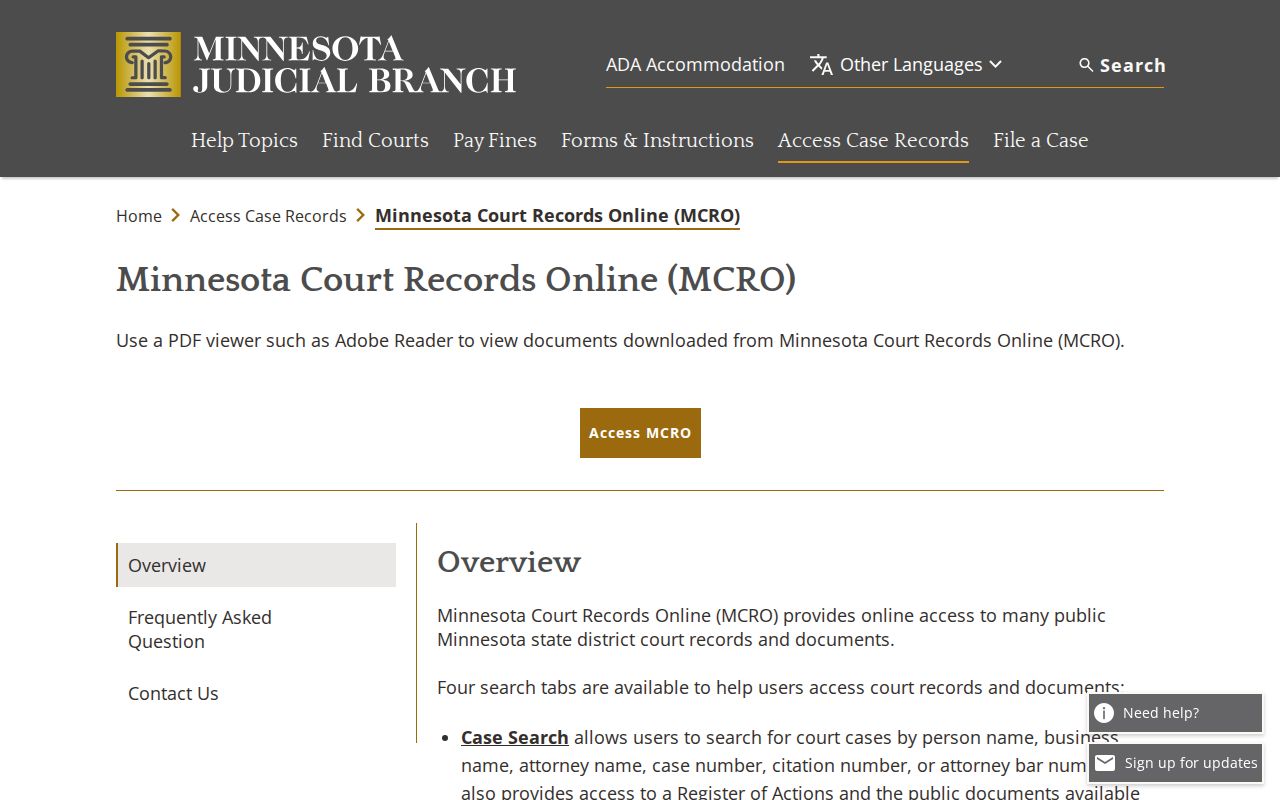
No single tab settles every record question. Brown County searchers should expect to move among them. A hearing result can point toward Case Details. A known case number, meanwhile, is what unlocks the document index.
The MCRO public-access home page is the statewide entry point. The same four Brown County record-search paths start from there.
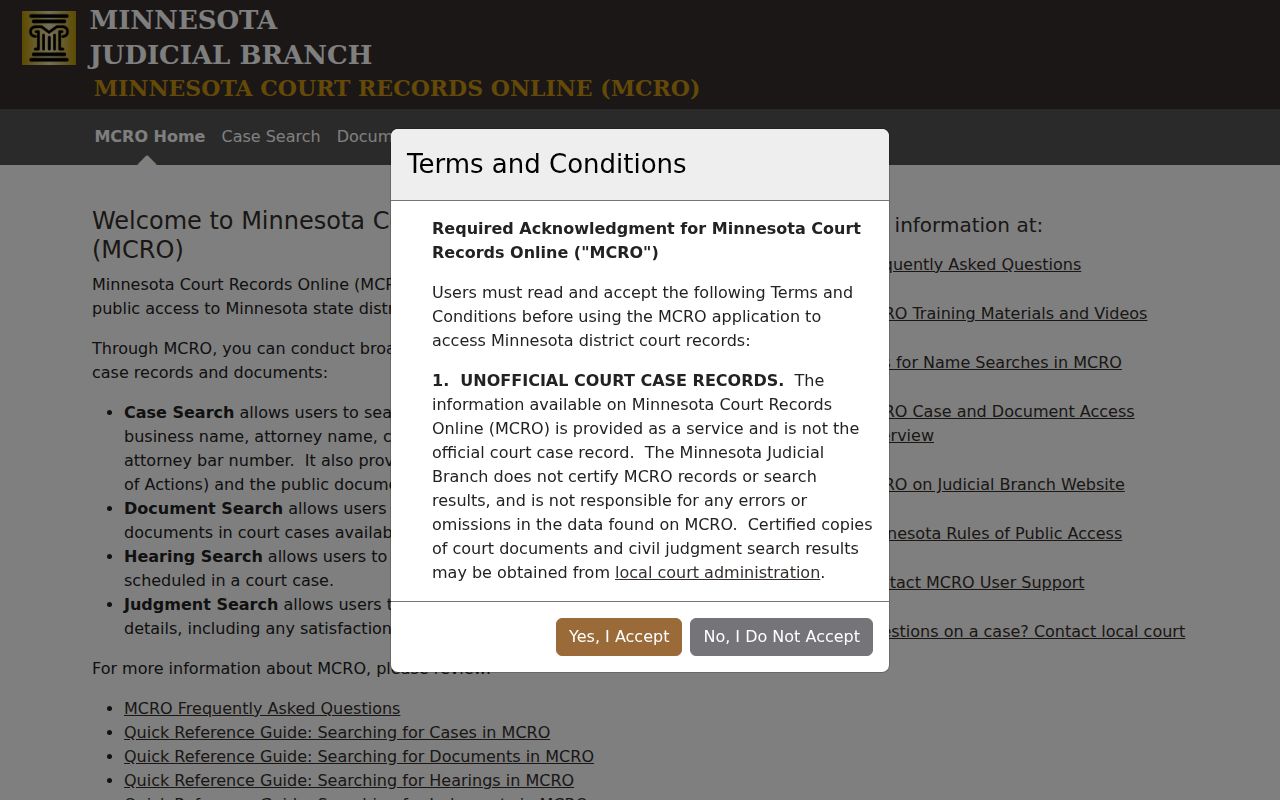
MCRO is not some separate vendor portal just for Brown County. It is the statewide interface, and through it you reach Brown County District Court records within the limits public remote access allows.
Case Number Searches
A full Brown County case number is the fastest way to pull up a known case on MCRO. Type it in Case Number mode. Just skip the spaces. Dashes and leading zeroes can be left out. Copy the number straight from your notice, citation, or court record rather than guessing at a pattern, because digit counts vary across case categories in Brown County.
Take 88-FA-22-1234, the generic Minnesota example used in the statewide remote-appearance instructions. Its pieces show a two-digit location, a case type, a year, and a sequence number. That shape is illustrative, though. Brown County cases need not match it. Traffic helps show the variety. A court-required appearance case may carry CR, while a payable one may carry VB. Keep the citation number separate. That later court case number is the one the Brown County docket uses.
MCRO Case Search offers the official Brown County Case Number and Citation Number modes.
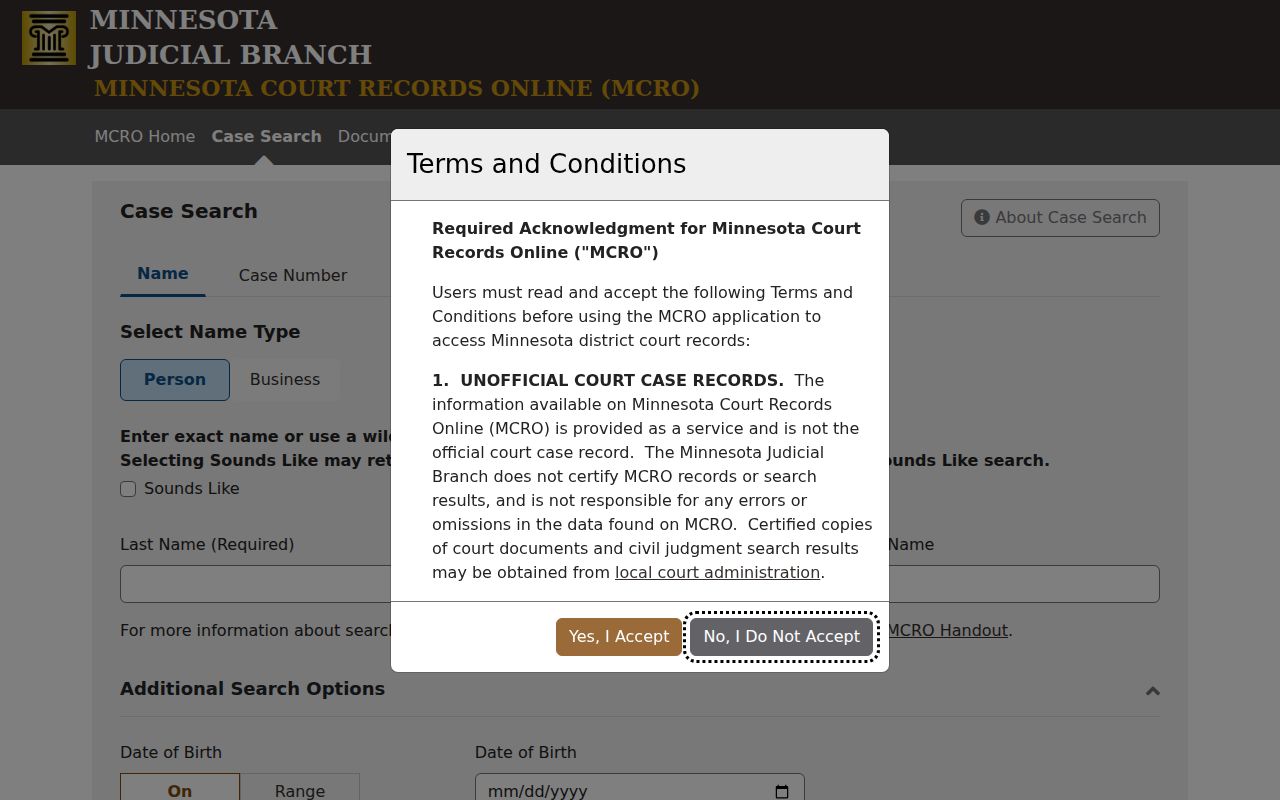
When a name search stalls, try the full Brown County case number instead. Then open the case's own Case Details page before concluding anything, because a number segment alone tells you nothing about the outcome.
Brown County Exact Case Search
Brown County name searches on MCRO come with a few rules people miss. The match is exact. Want a wildcard? Use an asterisk, but only after at least two characters. Sounds Like helps when the spelling is close. Yet it will not combine with a wildcard in one search. Punctuation, middle names, and initials can all shift a Brown County exact-name result. Change one thing at a time, and the result set stays readable.
- Exact name
- The entered Brown County name must match the indexed form rather than merely appear somewhere in it.
- Wildcard
- An asterisk placed after at least two characters to widen a Brown County spelling search.
- Sounds Like
- An alternate Brown County name-search control for similar spellings that cannot be paired with the wildcard.
- Case status
- A system label such as open or closed, not by itself the final case outcome.
A Brown County search on MCRO caps out at 200 results, newest first. An Oldest First option and a Print control sit alongside the list. Treat every result as unofficial. A card can identify a Brown County case. But read the Register of Actions, Dispositions, and Level of Sentence before you conclude anything about how it ended.
Case Search Results Explained
Click a Brown County result and you land on MCRO Case Details, which the Judicial Branch labels the Register of Actions. Expect sections such as Overview, Case Information, Party Information, Warrants, Charges, Interim Conditions, Case Assignment, Case Events, Hearings, Dispositions, Bond or Bail Activity, and Financial Information, though not every case shows all of them. Case Events run in reverse chronological order, newest first. One more wrinkle: an event can list a Document Index Number with no image behind it. The number shows an entry exists. It does not promise a viewable filing.
| Overview | Brown County upcoming hearing information or an appear-by date where the public case displays one. |
|---|---|
| Case Information | Case number, title, type, filed date, Brown County venue, judicial officer, status, citation, flags, and related cases. |
| Party Information | Public party roles and attorneys of record. |
| Charges | Brown County criminal allegations and public amended-charge history when applicable. |
| Case Events | Reverse chronological Brown County filings, notices, court actions, and document index references. |
| Hearings | Past or upcoming public Brown County hearing entries. |
| Dispositions | Recorded outcomes such as dismissal, settlement, judgment, conviction, or other case result. |
| Bond, Bail, and Financial Information | Public financial or bond activity where available; it must be read with the Brown County case record. |
Case type and status alone tell you little about how a Brown County matter ended. To read an outcome, go to the Dispositions section, and for a criminal matter check any Level of Sentence detail too. Also note that a document watermark proves nothing. Watermarks mark copies as unofficial, not certified.
Brown County Case Results Are Unofficial
One caution before you trust what MCRO shows. The search results and any documents it delivers are unofficial. Brown County Case Details are still useful for finding a public Register of Actions, but they do not certify the Brown County court record. Treat a case number, a case type, or an Active Warrant flag as a lead, not a verdict. Check the Case Information and Warrants sections around each entry before relying on what it seems to say.
Brown County record point. A result row identifies a possible case; the current Register of Actions and the originating Brown County court determine what the public record actually shows.
Need a certified Brown County copy? Go through Court Administration, not an MCRO printout. Keep timing in mind too. The Brown County source record may hold later case events that a saved result list missed.
Brown County Case and Document Search
Case Search and Document Search sound alike in Brown County, but they do different jobs. Case Search takes a name, case number, citation number, or attorney. It returns public Brown County case information. Document Search is stricter. It accepts exactly one field, a complete case number. It returns case details plus whatever documents MCRO provides. Results there run in reverse chronological order, with Print and View Document among the controls. Once the full case number is in hand, MCRO Document Search is the official Brown County route. The official page shows its search form and results layout.
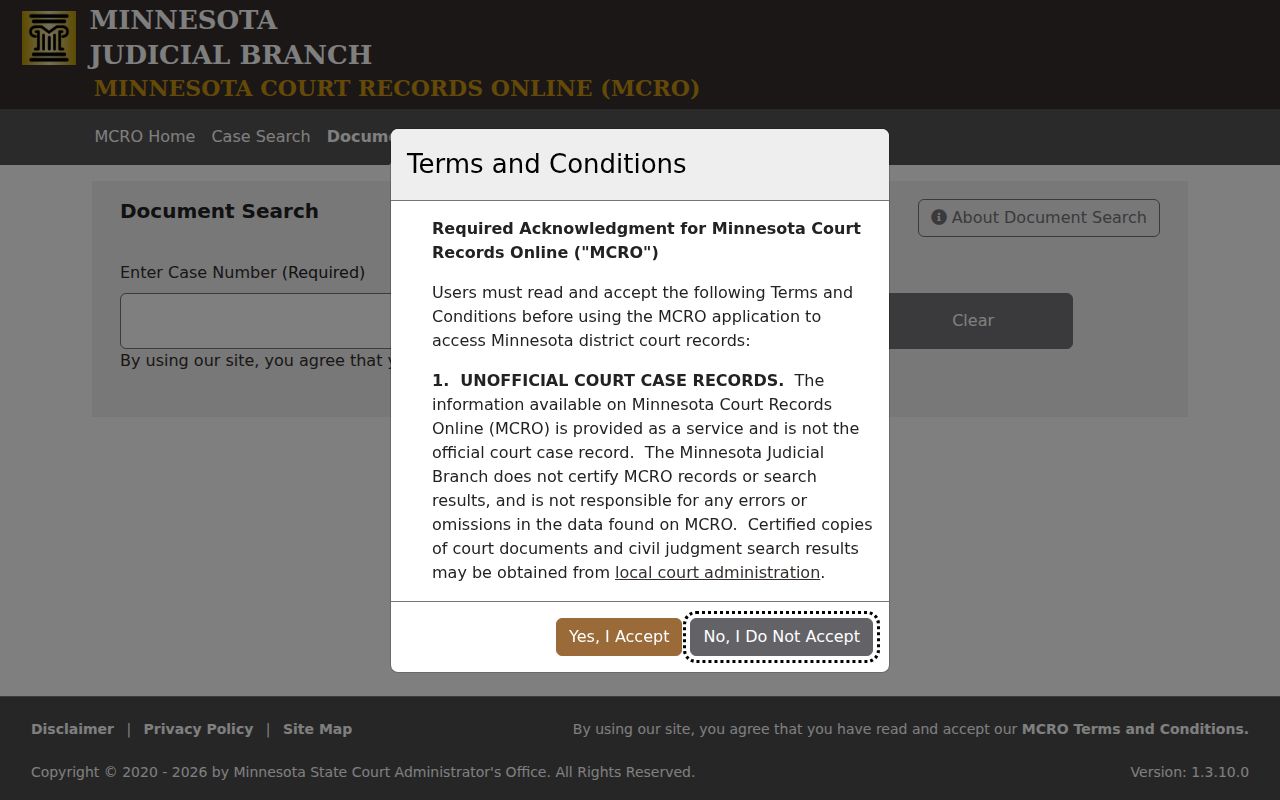
A Document Index Number in Brown County does not guarantee a viewable image. When a document carries an Other label, open it anyway. The label may not describe what is inside. Public online documents cost nothing where MCRO makes them available. Just remember the downloaded file is not a certified copy.
Two Ways to Search: County and State
Brown County has no separate local case-search portal. MCRO is the statewide system, and its Court Locations controls let you search either every court location or just a selected Brown County court location. Pick Brown County when the matter was filed locally. Stay statewide when the right county is unclear or the query must reach beyond Brown County.
| MCRO statewide search | MCRO filtered to Brown County |
|---|---|
| Searches Minnesota court locations through the same public interface | Uses the Brown County selection from the 87-county list |
| Useful where county filing location is uncertain | Useful for a known Brown County case, court date, or record |
| Can return more results than a local search needs | Still subject to the same remote-access limits |
| Case Details remains the public Register of Actions route | Brown County District Court remains the local custodian for records and certified copies |
To pin down an assigned judge or judicial officer, the Judicial Branch Brown County directory filters the judicial roster to the county, and the official page shows each officer listed there.
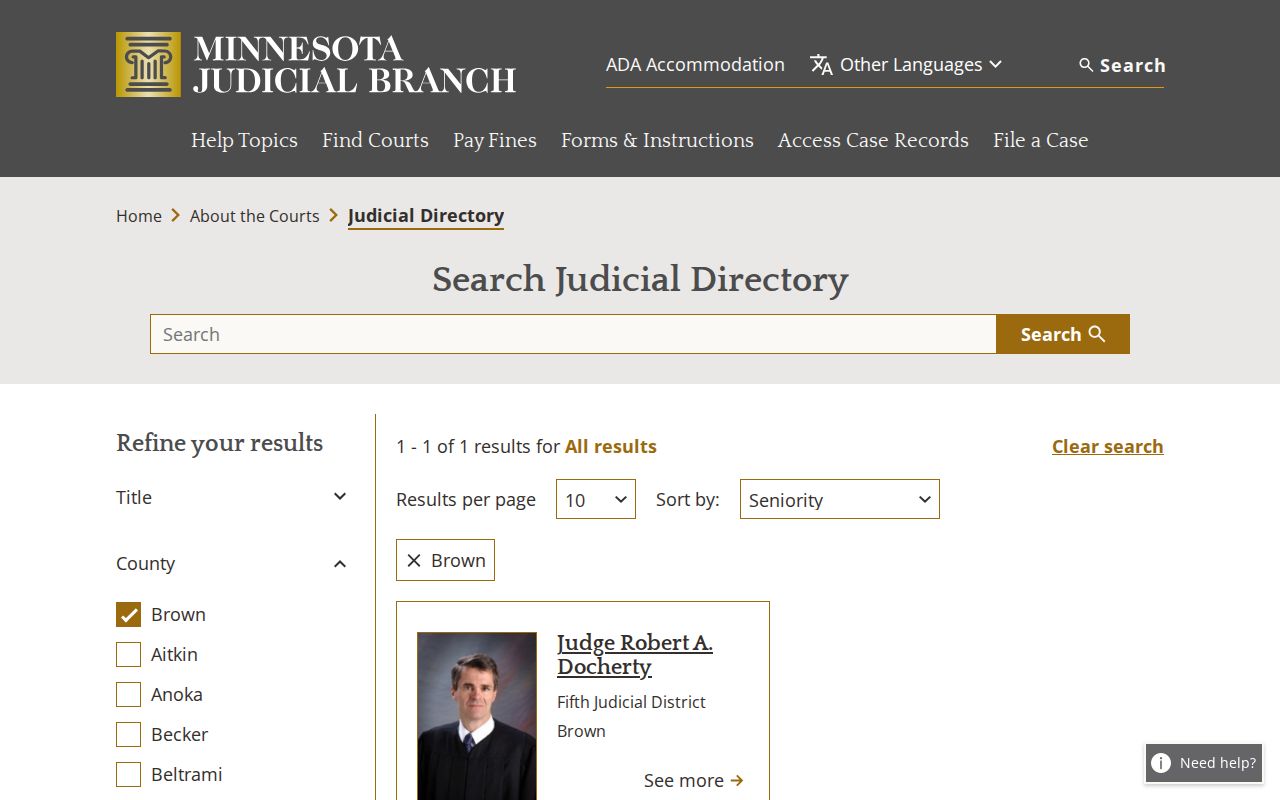
The directory identifies an officer connected to Brown County. For a specific case or hearing, MCRO Case Details and Hearing Search remain the places to search the record.
Brown County eFS and Case Search
Minnesota eFile and eServe is called eFS. It handles filings for Brown County District Court and every other Minnesota district court. It is a filing system, not a public Brown County docket search. Attorneys, government agencies, and guardians ad litem use eFS statewide. Self-represented filers get a choice of eFS or paper. But a case filed electronically stays electronic. For the public, a case search starts with MCRO instead. The Minnesota eFS filing page spells out registration and how filing works in district court.
Do not expect eFS to hand a Brown County public searcher a Register of Actions or a public document. MCRO has its own limits. It cannot file, pay a fine, schedule a hearing, certify a result, or answer a case-specific legal question.
Which Cases Stay Restricted
Brown County remote results follow Minnesota public-access rules. A defendant-name search may skip pending criminal, traffic, and petty-misdemeanor matters that lack a conviction. A complete case-number search can still pull up the pending Brown County case. Juvenile delinquency, juvenile traffic, CHIPS, adoption, confidential name-change, and other protected proceedings face tighter limits. Domestic-abuse and harassment matters, civil commitments, and parts of family records may be missing or partly blocked remotely.
A missing remote result is not the same as a nonpublic record. Minnesota Rule of Public Access 8 draws the line. It separates remote access from access at the Brown County courthouse. Rule 4, Rule 11, and related statutes shield particular files and identifiers. Expungement seals a record under Minnesota law. Yet it does not mean the physical or electronic record was destroyed.
Documents older than July 1, 2015 may simply have limited remote availability. You may also see Name Not Available Online. Or you may find a document missing from the list. Neither outcome proves the Brown County court never had a record.
Brown County Hearing Case Search
Got a hearing date in mind? MCRO Hearing Search answers that kind of Brown County question without pulling the whole case file. It filters by name or business, case number, judicial officer, or attorney. Bar number, hearing date, category, and county work too. If you already hold a Brown County case number, type it in. That number is the straightest route to the right court docket entry. You can then line up the result against the local calendar. The Hearings section of the case helps too.
The Brown County Weekly Public Court Calendar goes up every business day. It gets hourly updates. Printed courthouse calendars are the freshest posting of all. One caution: a hearing missing from the online list is not automatically canceled. When the notice, MCRO, the public PDF, the printed calendar, and Brown County Court Administration disagree with one another, what do you trust? The Brown County Court Schedule walks through how to compare them.
Brown County Case Terminal Fallback
MCRO does not cover everything. Some Brown County case types, fields, or documents never appear there. They sit at the courthouse for the asking. That is when you go to the public-access terminal. The paper counter at Brown County District Court works too. Minnesota Judicial Branch materials describe the courthouse terminals as the most complete electronic district-court view available. For older paper files, certified copies, or questions about the proper request process, Brown County Court Administration is the local door to knock on.
Brown County access route. A public-terminal search can reveal more than the remote view, but it does not override a judicial restriction, confidential classification, or sealed record.
Start with the court itself. The Brown County District Court page is the official source, and the Brown County Court Administration directory gives the courthouse at 14 South State Street in New Ulm plus the local records number, 507-441-7020. Call that number before you travel. If you are chasing an upcoming hearing, check MCRO against the Brown County Court Schedule and the weekly calendar the court posts. Treat MCRO as a pointer, not proof. Its results and documents are unofficial, so anything certified has to come straight from the court. One more tip: bring a full Brown County case or citation number with you. It is the most reliable identifier for a known matter there.